Premium
see the whole catalogue
Store websites are built to sell you what the shop wants to move, not to show you what exists. Unlisted products, items missing from collections and things that only appear through a direct link are all normal, and all invisible if you browse the way the site intends.
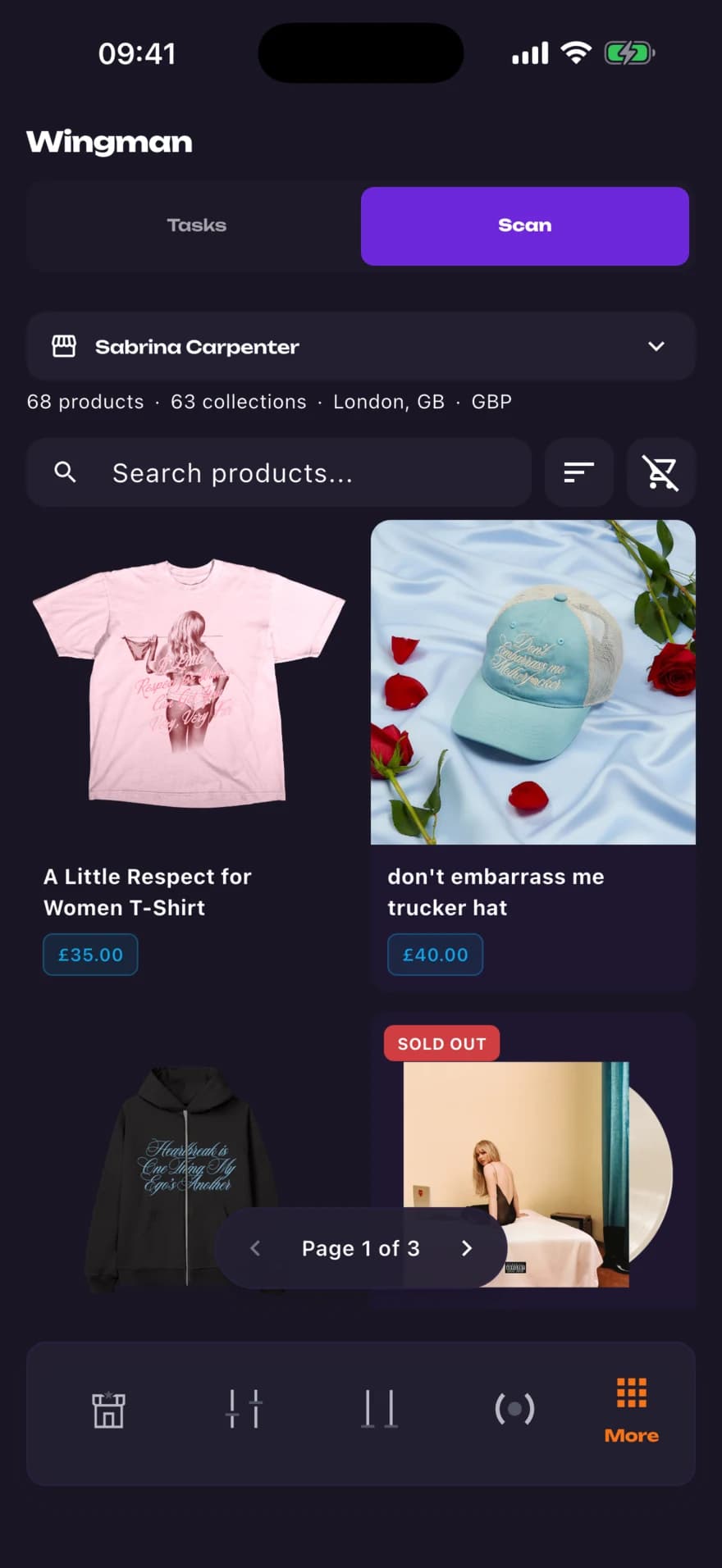
Wingman Scan reads a supported store's full catalogue and shows it back to you as a grid you can sort and filter, with add to cart available straight from the product sheet.
how it works
- 01
Pick a store
Most stores MerchVault tracks can be scanned, and you can paste a Shopify URL to scan one it doesn't. Store groups and a few channel-backed retailers aren't scannable.
- 02
Read the whole catalogue
The grid shows the store's products, not whichever collection the homepage links to.
- 03
Act from the grid
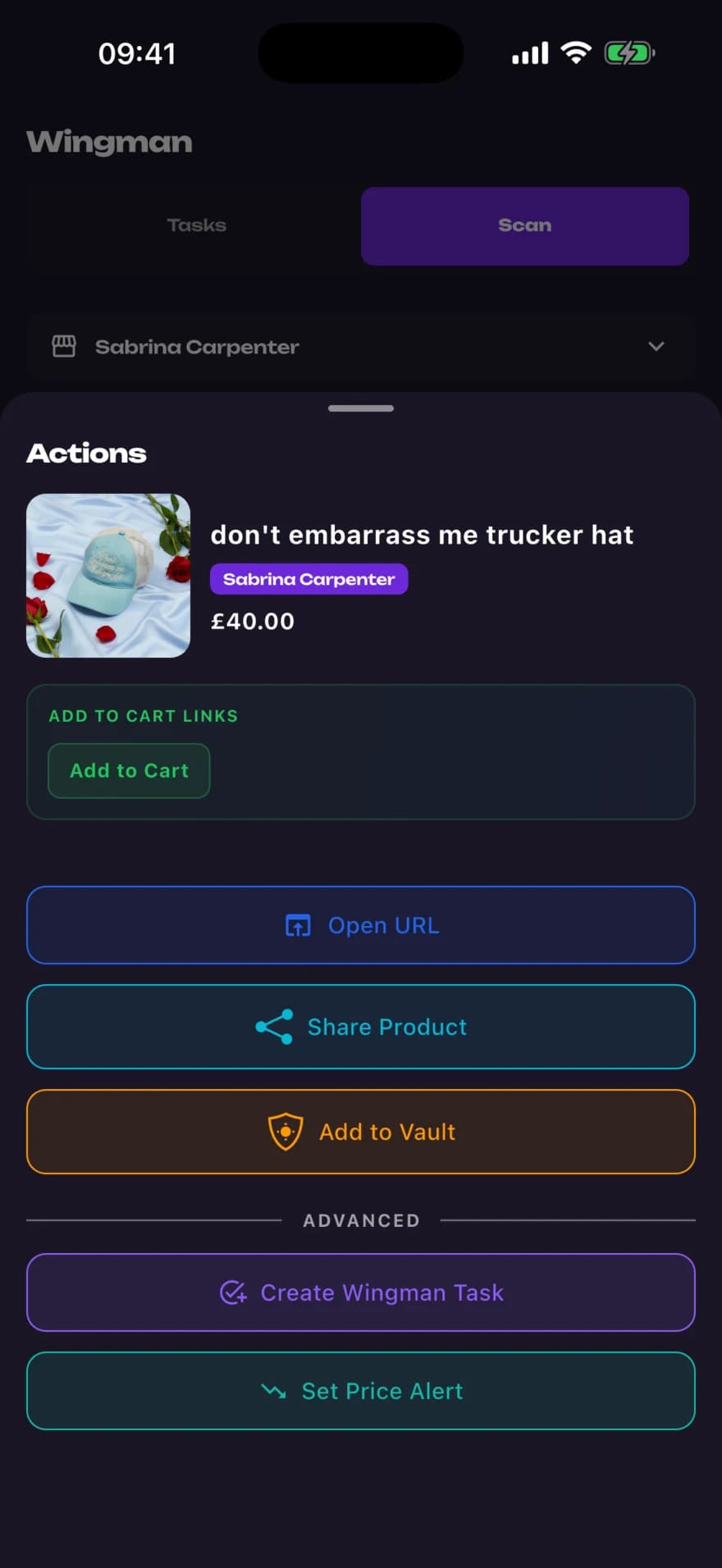
Open a product sheet to add to cart, or set a price alert on it.
why it matters
Finds what navigation hides
Products that are live but not surfaced in a collection still appear in a scan.
Sorted and filtered your way
Work through a catalogue by what you're looking for instead of by what the shop is promoting.
Straight to cart
Add to cart from the product sheet instead of loading the site and starting again.
questions
What does Wingman Scan scan?
A supported store's product catalogue, which it shows back as a sortable, filterable grid in the app.
Which stores can I scan?
Most of the stores MerchVault tracks, plus any Shopify store you paste in by URL. Grouped store monitors and some channel-backed retailers can't be scanned, because there is no single catalogue behind them.
Can I buy from inside a scan?
You can add to cart from the product sheet, and set a price alert on a product while you are there.
How is this different from Wingman Tasks?
Scan is for looking: it shows you what a store has right now. Tasks are for waiting: they act when something comes back into stock.
the rest of it
Developed for mobile:

