Free and Premium
everything you're chasing, in one place
Chasing more than a couple of items turns into admin. Screenshots in your camera roll, tabs you'll never reopen, a note somewhere listing the variants you still need, and no real idea what the whole lot would come to.
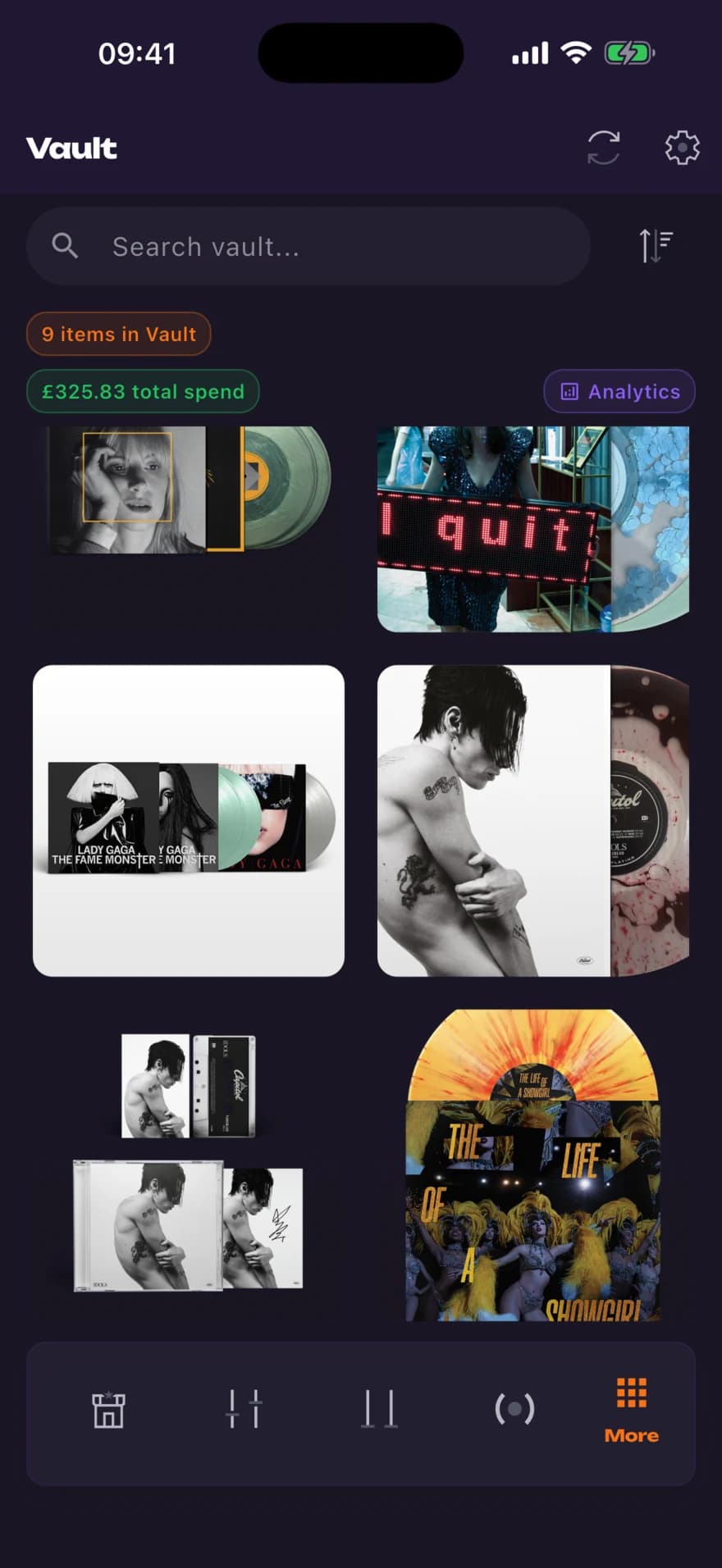
Vault is where that goes instead. Hit Add to Vault from any feed item or scan result and it is saved with its image, title, store and price, ready to open again later.
how it works
- 01
Save from the feed
Open the actions sheet on any item, in a feed or a Wingman Scan, and choose Add to Vault.
- 02
Browse what you saved
A grid of covers you can search and sort by price, date added or store. Tap one for the title, store, price and a link back to it.
- 03
Check the analytics
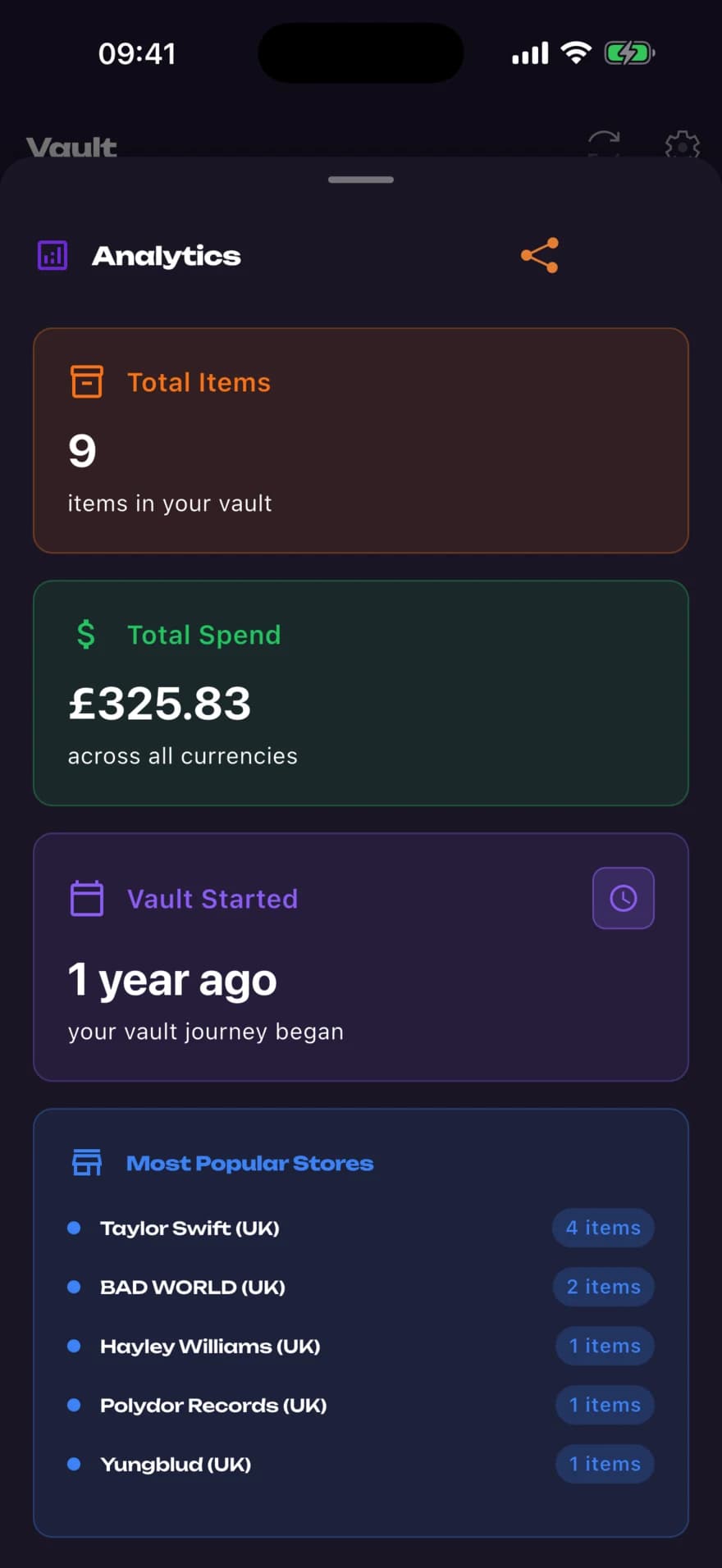
Total items, total value, when you started, and which stores you save from most.
why it matters
One list, not six
Replaces the camera roll, the open tabs and the note app with the thing already sending you the alerts.
A running total
Vault adds up the prices of what you have saved, so the number is there before you commit rather than after.
Free on every plan
Vault isn't behind Premium. It works on a free account with three stores.
questions
Is Vault a Premium feature?
No. Vault works on every plan including free, alongside the Unfiltered and Live feeds.
Does Vault track what I have actually bought?
No, and that distinction matters. Vault is a saved list, not a purchase history, so the total is the value of what you saved, not what you spent.
What does the total figure mean?
It adds up the listed price of every item in your Vault at the time you saved it. If your items span several currencies you can pin a display currency in Vault settings.
How do I add something to it?
Open the actions sheet on a feed item or a Wingman Scan result and choose Add to Vault. Items already saved show as Already in Vault.
Can I share it?
Yes, Vault can render your analytics as a share card with a choice of styles.
the rest of it
Developed for mobile:

